


Linktree is the best-known platform for creating a link-in-bio page, and one of the simplest. You create a free page with your links, put it in your Instagram or TikTok bio and add the OnlyFans link that Tikful Studio gives you.
Video overview

Create your account
- Go to linktr.ee and click Sign up free in the top right corner.
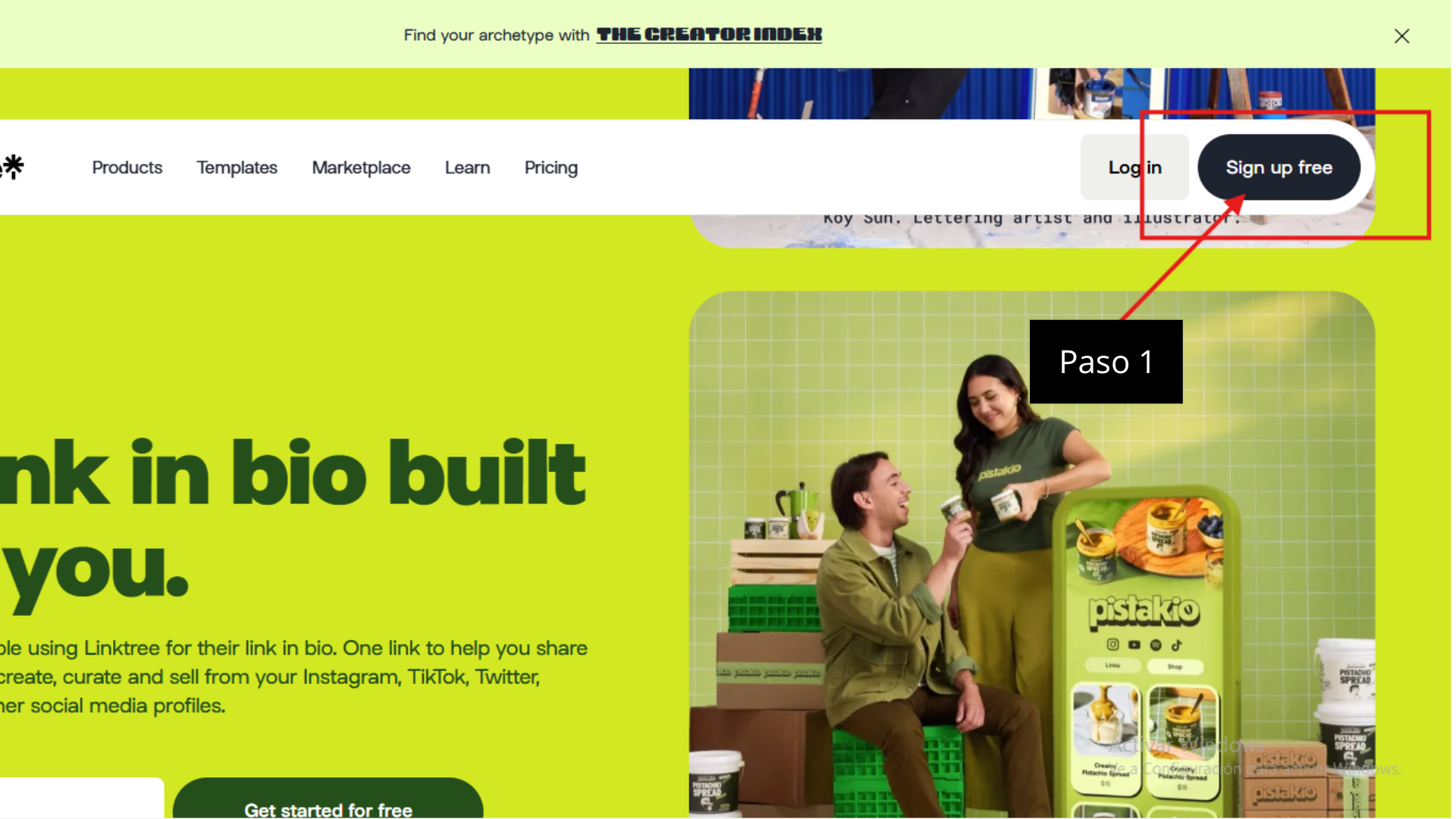
- Sign up with your email address or with your Google or Apple account.
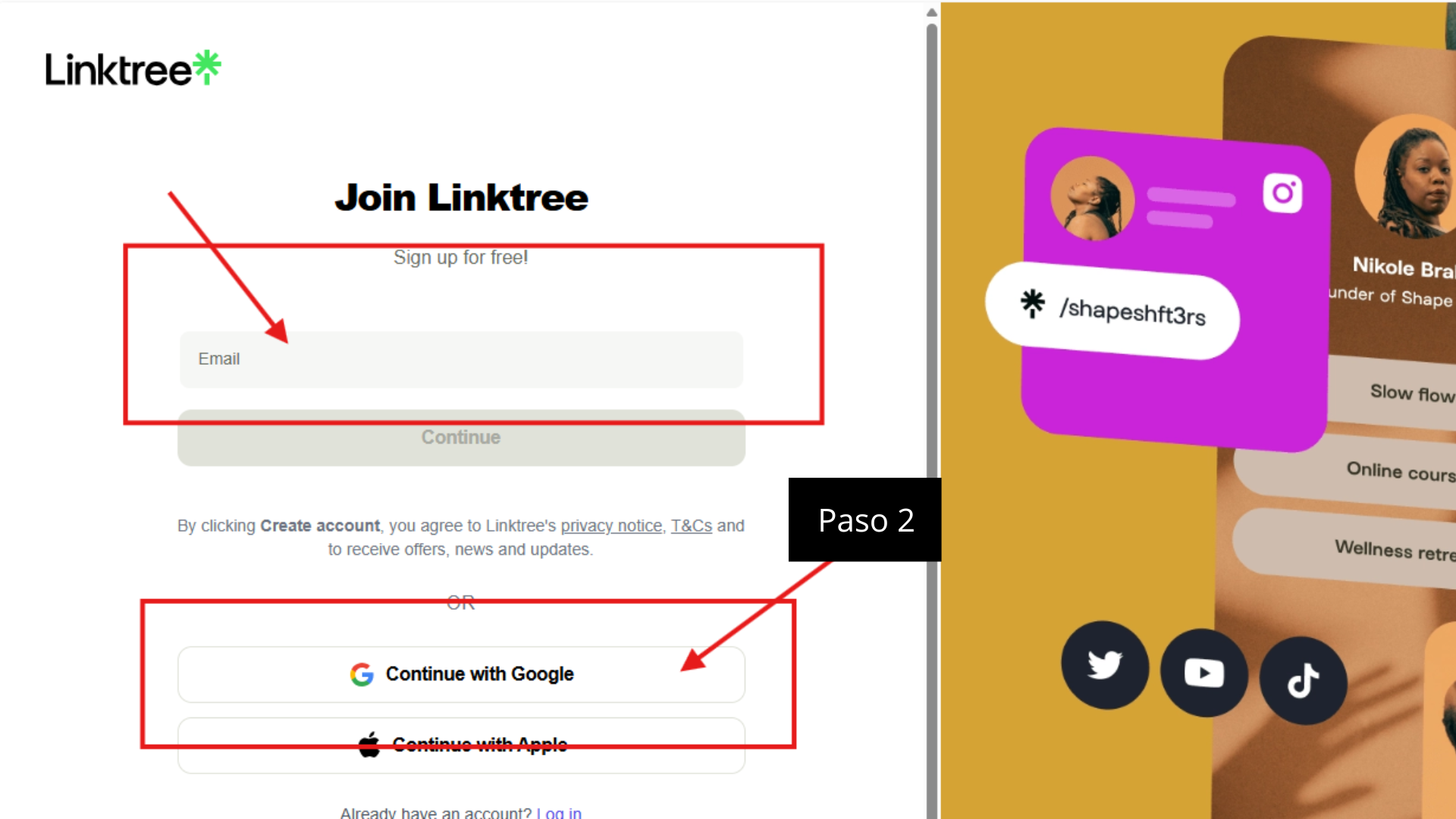
A separate email for your campaign accounts
If you can, create a new email address just for this. That way you keep this activity separate from your personal accounts.
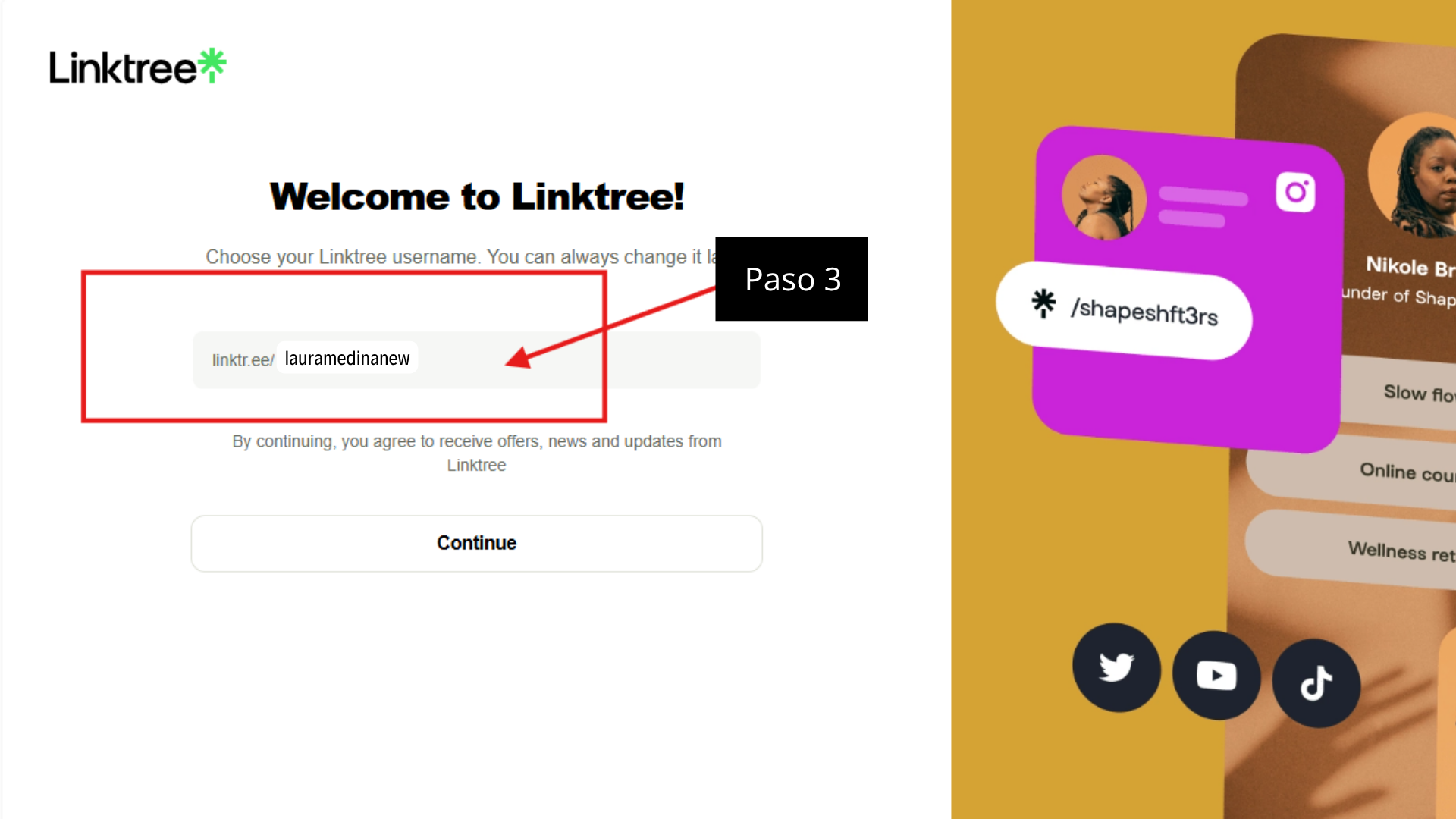
Choose your username
Enter your username, which will be your link (for example, linktr.ee/yourusername). Use the same name as the Instagram account you’re going to link.
Choose your goal and design
- When Linktree asks what best describes your goal, choose Creator.
- Then choose a theme for your page. You can change it later.
Add your social accounts and the OnlyFans link
- Choose the platforms you’re on, such as Instagram and TikTok, and enter the username of the account assigned to the campaign.
- In the additional links, paste the OnlyFans link that Tikful Studio gives you.
- Check the preview to make sure all your social accounts show up.
Use the Tikful Studio link exactly as it is
That link is what credits subscribers to your Tikful account, so don’t shorten it or change it. Give it a clear title and, in its settings, mark it as sensitive content if Linktree lets you.
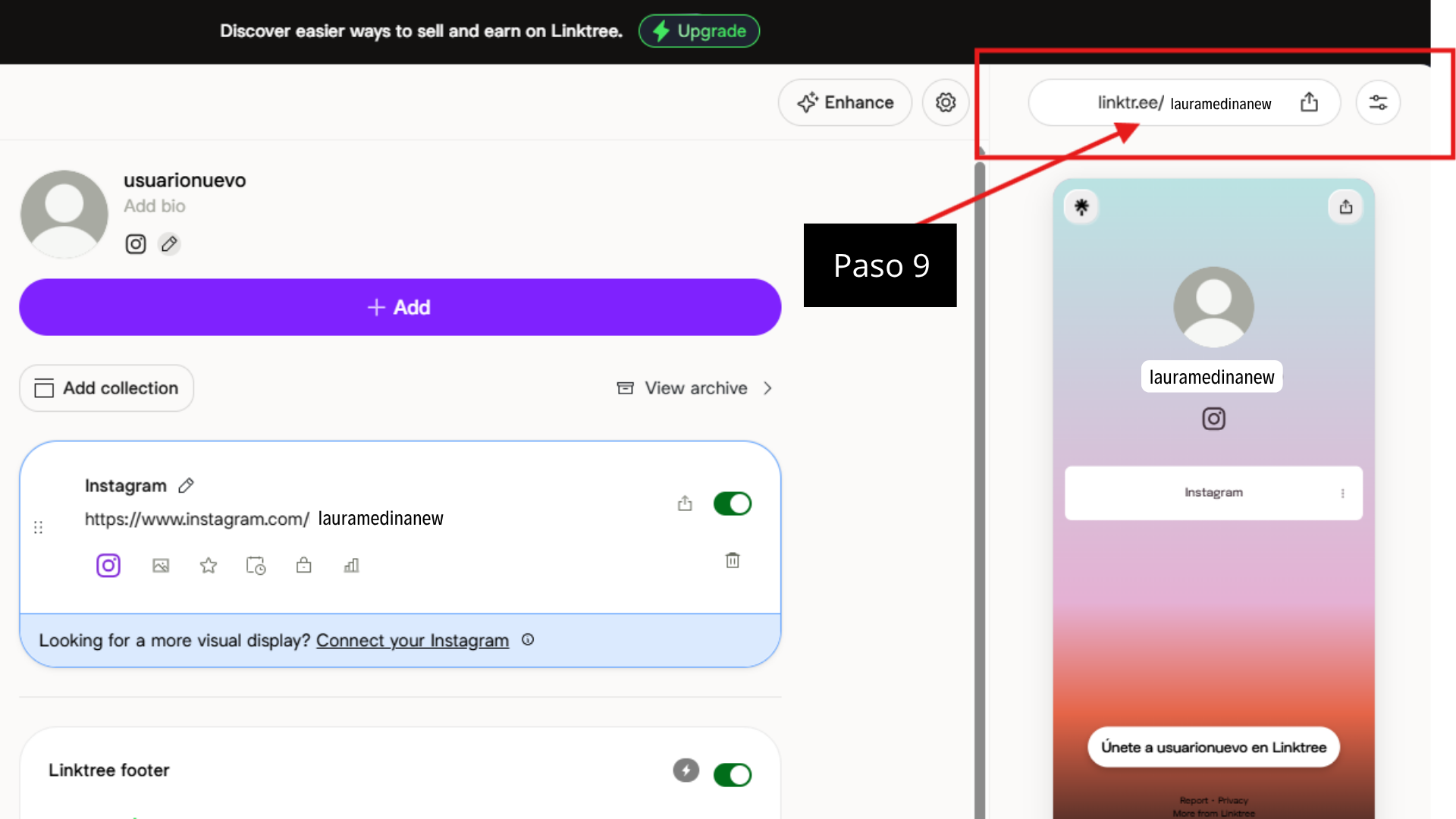
Copy your link
In your Linktree dashboard, your page’s URL appears in the top right corner. Copy it and paste it into the bio of the Instagram account assigned to the campaign.
If you’d rather use another platform, compare the options in our guide on how to create a link-in-bio page.