


Bouncy is a free platform for creating a link-in-bio page. You choose a template, customize it, add the OnlyFans link that Tikful Studio gives you and publish it at a bouncy.ai URL that you put in your bio. When you paste an adult link, Bouncy turns on the 18+ warning by itself.
Video overview

Create your account
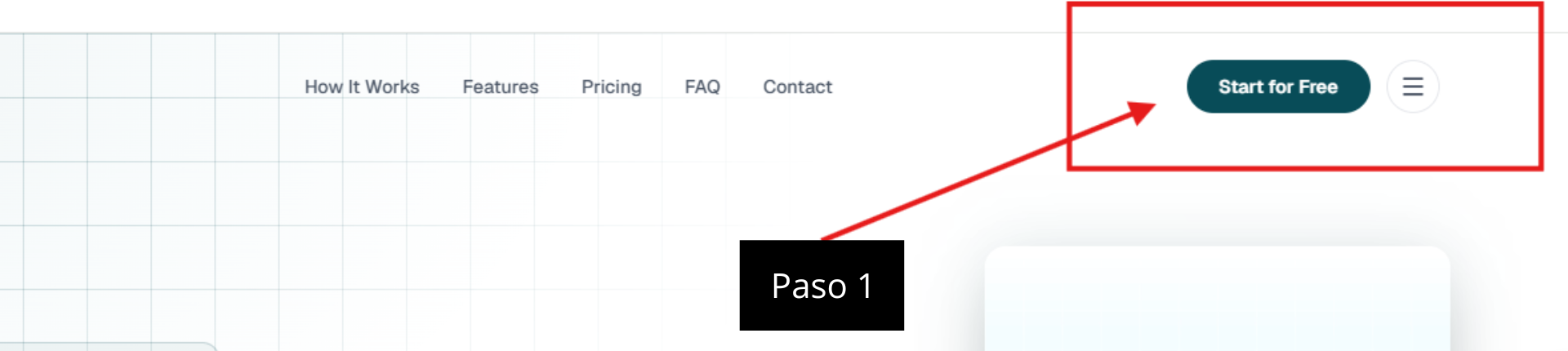
- Go to bouncy.ai and click Start for Free in the top right corner.
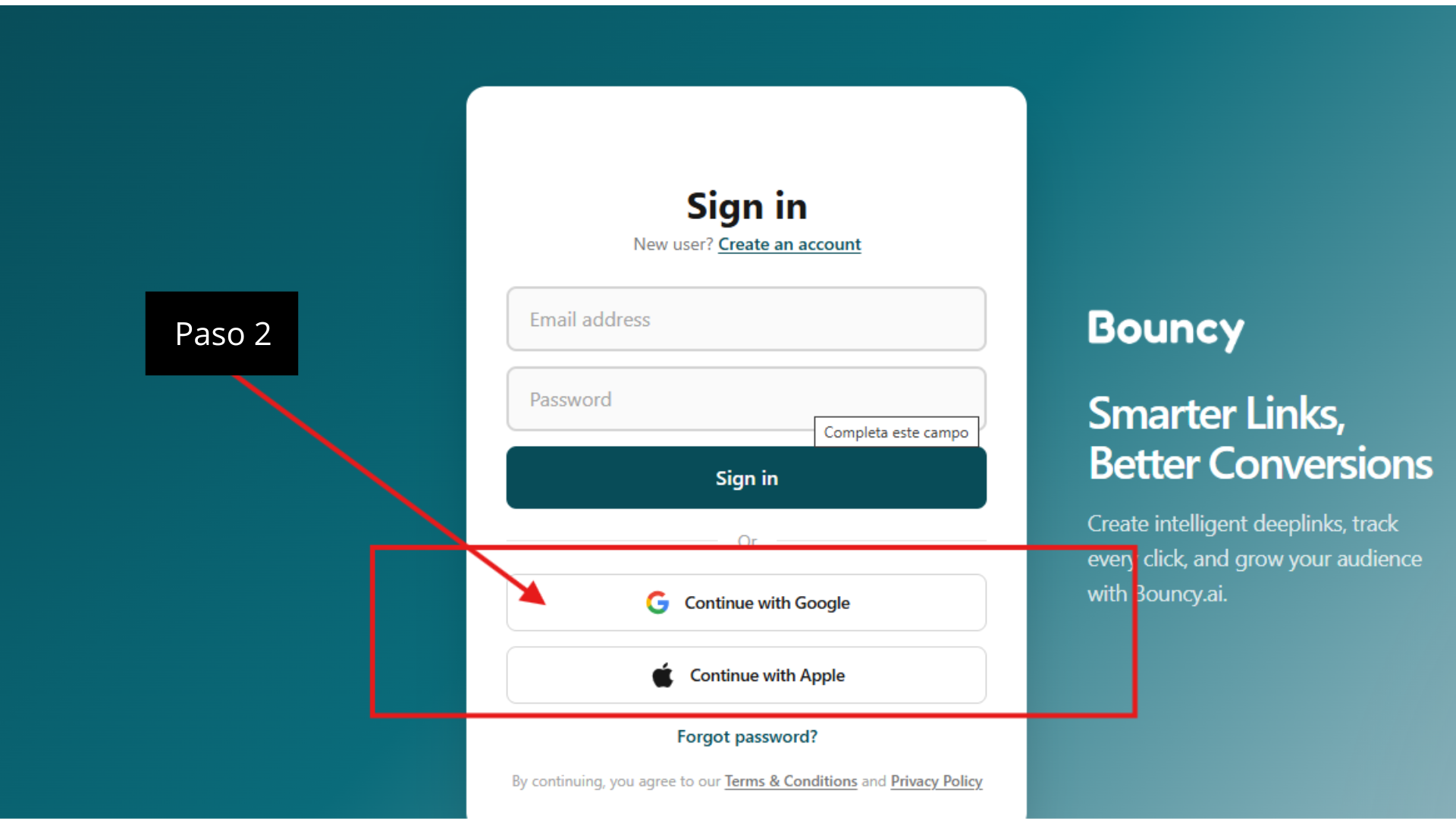
- Sign in with your Google or Apple account, or create an account with your email address and a password.
A separate email for your campaign accounts
If you can, create a new email address just for this. That way you keep this activity separate from your personal accounts.
Create the page and choose a template
- In the Dashboard, click Create Website in the left-hand column.
- Choose Link in Bio and click View Templates.
- Pick the template you like best and click Use Template.
Customize the design
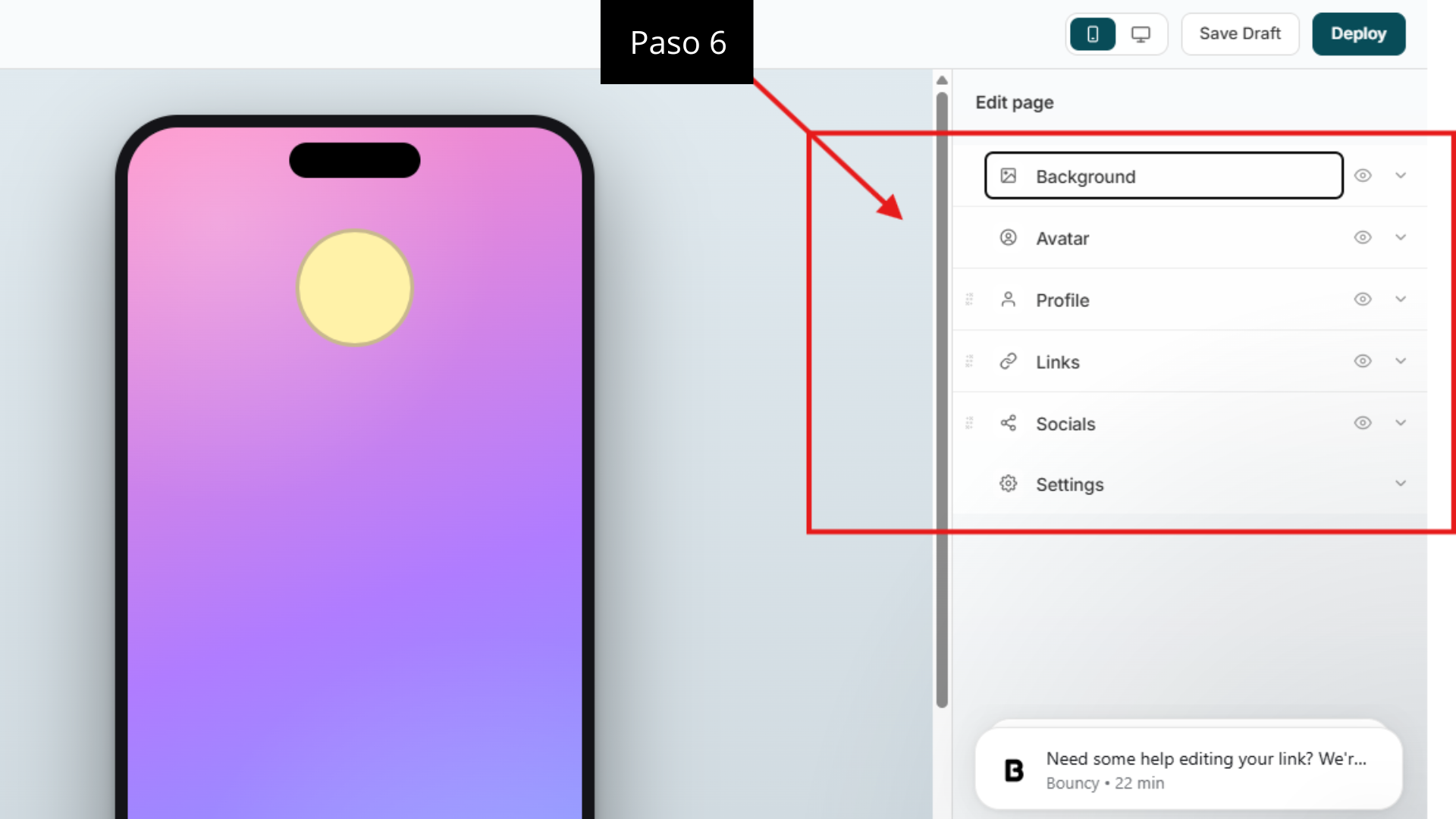
In the editor, the panel on the right lets you adjust the Background, the photo (Avatar) and the rest of the design. Check your spelling and use colors that match your social accounts: a page that looks professional comes across as more trustworthy.
Add the OnlyFans link and your social accounts
- Open Links and create a link of type Link.
- Give it a clear title, such as “OnlyFans.”
- In URL, paste the OnlyFans link that Tikful Studio gives you. Bouncy detects that it leads to adult content and turns on the 18+ warning: check that it stays on.
- Click + Add link and add the Instagram account assigned to the campaign the same way, then your TikTok account and any other social accounts you want.
- In Profile, adjust the name, the username and the bio. It’s best to leave this for last, once your design is final.
Nothing that misleads visitors
Use the Tikful Studio link exactly as it is, because it’s the one that credits subscribers to you. And leave off any options that show visitors details that aren’t real, such as their own city under the creator’s name.
Publish the page and copy the link
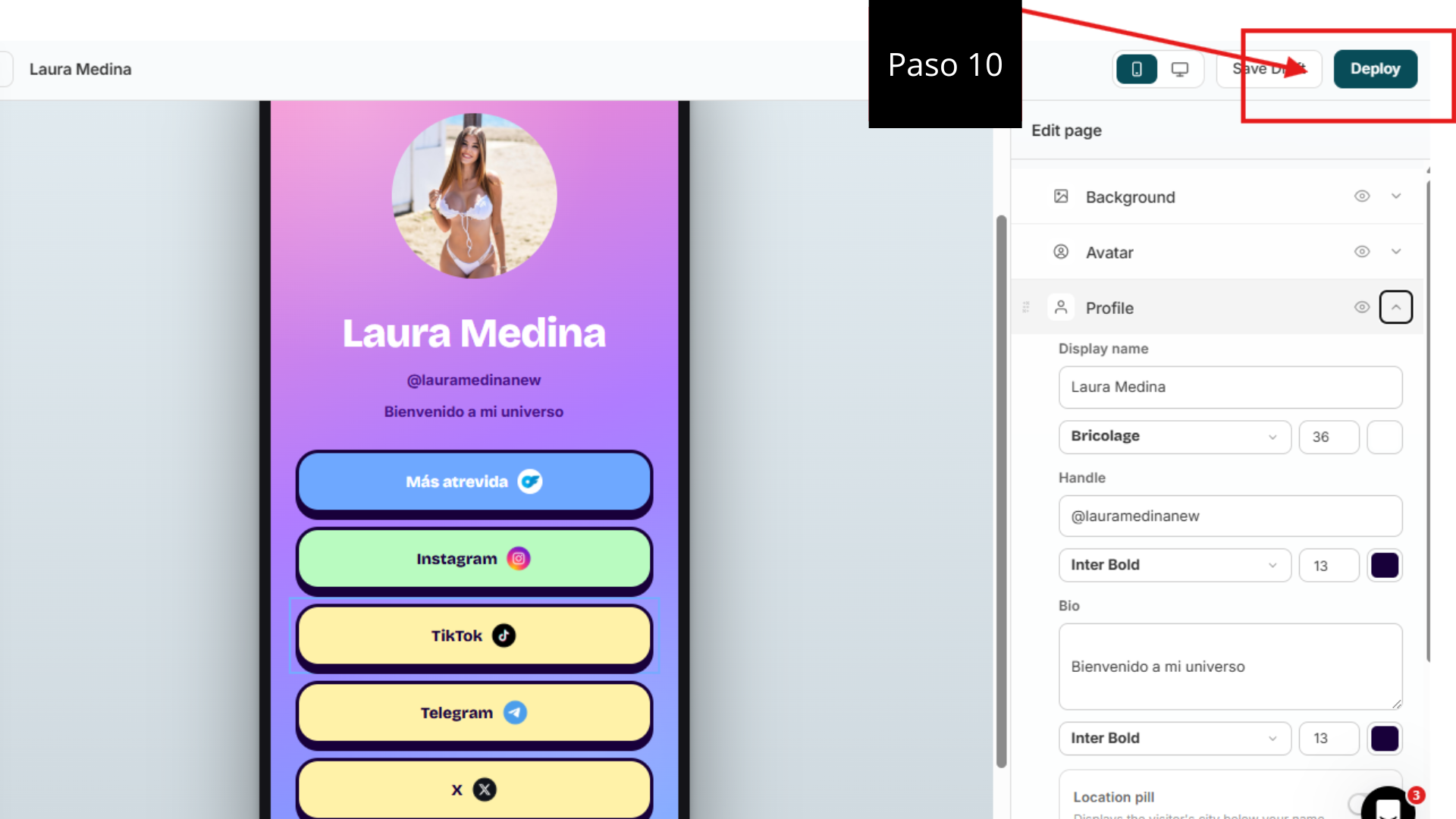
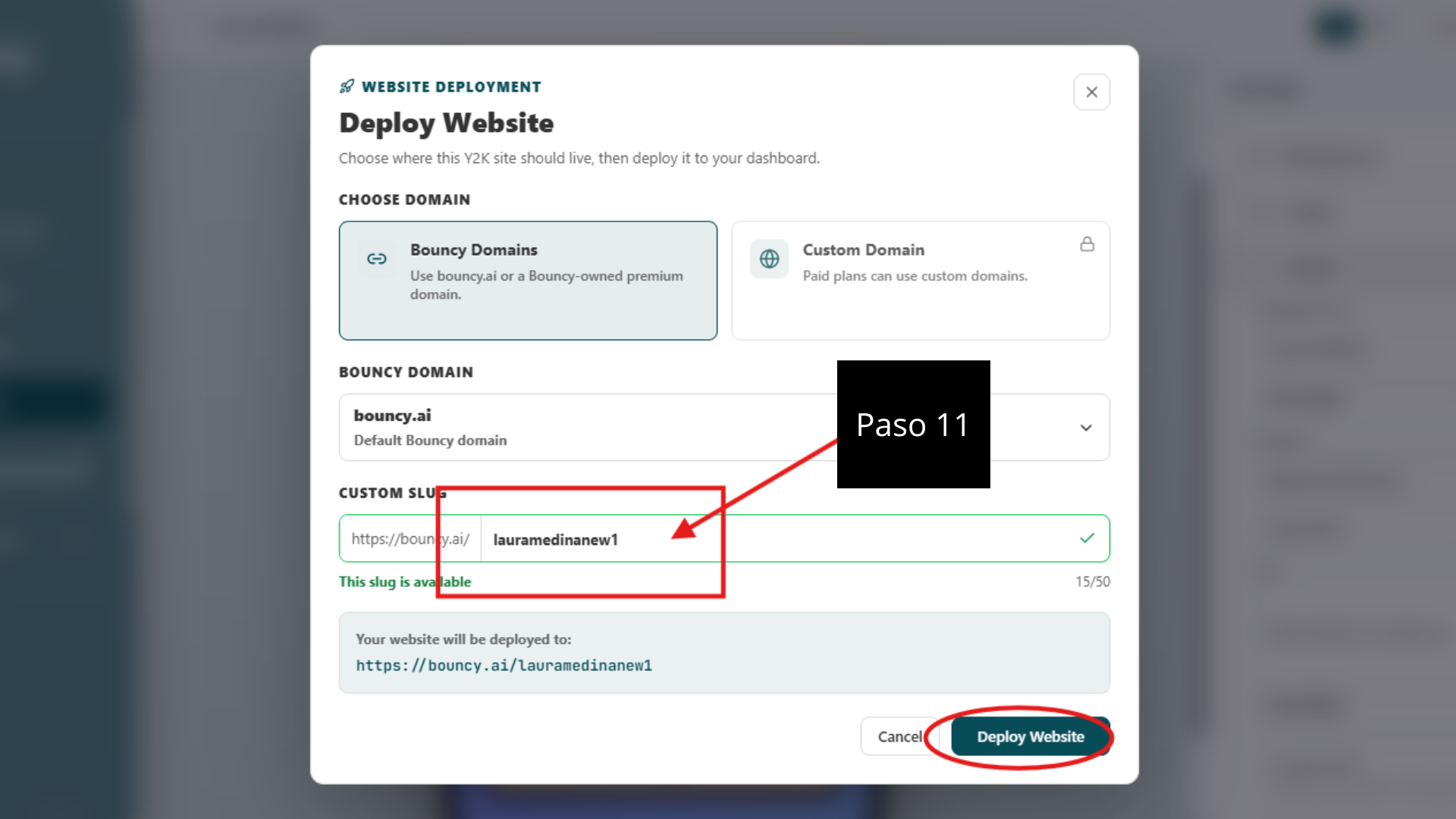
- Click Deploy in the top right corner.
- Choose the Bouncy domain and type your page’s address in Custom Slug. It’s a good idea to match it to the Instagram account’s username.
- Click Deploy Website.
- In the Dashboard, copy the page’s link and paste it into the bio of the Instagram account assigned to the campaign.
If you’d rather use another platform, compare the options in our guide on how to create a link-in-bio page.